

TechEditor: research, optimize, automate
TechEditor: research, optimize, automate
TechEditor is not just a calculation tool. It is an interactive environment where you can freely experiment with parameters, explore the impact of changes on results, and quickly find optimal solutions.
With sliders, selectors, and other automation elements, you can control the model in real time, compare options, and see the consequences of each step. Turn routine work into an exciting process of engineering research and optimization!


Control parameters in one motion
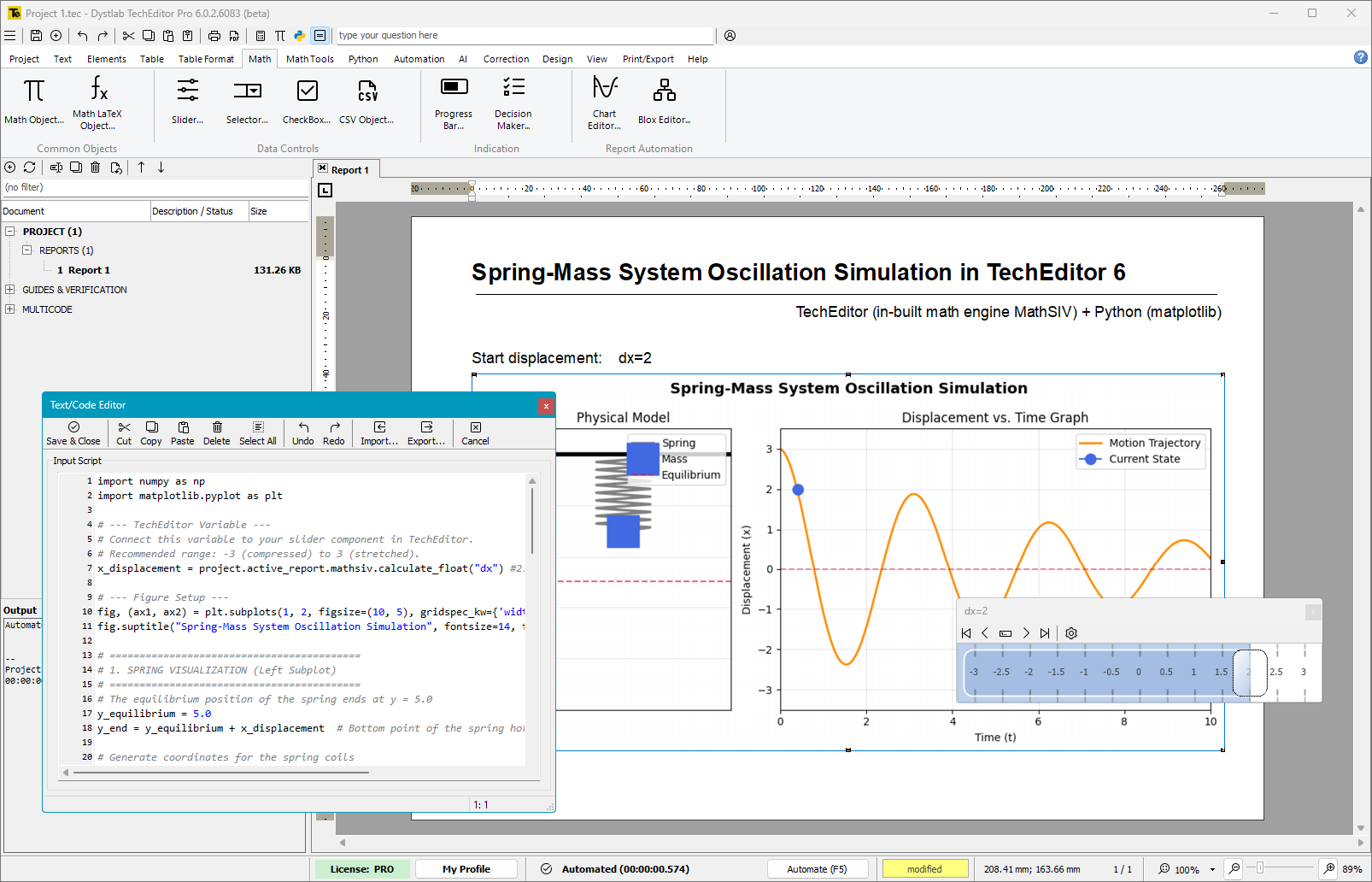
Sliders allow you to change any numerical parameters of the model — from the length of elements and loads to material properties and cross-sections. Simply move the slider and TechEditor will automatically recalculate the model and update the charts, tables, and formulas. No unnecessary actions, no risk of error — just pure engineering dynamics.
Slider features:
- Range of values with units of measurement
- Parameter change step and min/max limits
- Instant update of calculation results
- Visible only during editing — in the body of the document it is a regular variable
- Saves values
- Vertical or horizontal orientation
- Full COPY/PASTE support

Sliders not only help you “tune” calculations, but also protect users of your document from going outside the range.
Convenient tracing of values
Got a report from a colleague, but can't see where a parameter changes its value? Don't waste precious time — the Watches tool will find these places instantly.
Benefits of Watches:
- works with both variables and arbitrary expressions
- the number of variables / expressions is unlimited
- individual colors can be set
- tracing is not printed
- displays the current value of the parameter
- can be turned off with a single click

How to safely “play around” with values in calculations?
The TechEditor calculator is not just a replacement for the standard calculator. It has a Debug tab, which allows you to get a copy of all mathematical expressions in the document. It is a kind of “sandbox” that does not affect the main report.
Change any data, explore changes, debug your calculations — it's 100% safe!

Mathematical formula editor and LaTeX
Format engineering and scientific formulas professionally. With TechEditor, you can insert mathematical expressions in LaTeX format and edit them in a visual environment — without complex coding or manual formatting.
Features of the formula editor:
- Support for LaTeX notation for creating expressions of any complexity.
- Visual editing of formulas in WYSIWYG mode — see the result immediately.
- Insert formulas into text or as a separate block — the formula does not disrupt the structure of the document.
- Support for special characters, indices, fractions, integrals, matrices, etc.
- Synchronization with other elements of the document — formulas change and move along with the text.

Create clean, readable, and correctly formatted formulas without cluttering your layout.
Advanced Automation with Python
The powerful suite of libraries — numpy, scipy, and matplotlib — is now available out of the box. There’s no need to install or configure Python separately!
Ready to level up?
Download the free version of TechEditor and start creating professional technical documentation right now.
